AI Buddy
Child-friendly help when an 11+ word won’t stick
Some words just don’t go in. AI Buddy gives your child a memory trick, a simple explanation, extra sentences or usage tips for the word in front of them, written for 8 to 11 year olds and checked for safety.
Four helpers
Four ways to get unstuck
Your child picks the kind of help they need. Every answer is short, in British English, and puts the word in bold.
Help me remember it
A short memory trick that links the sound of the word to a funny picture of its meaning.
Explain it simply
Two or three short sentences in everyday words, with an example from real life.
More sentences
Extra example sentences that show the word being used in different situations.
How do I use it?
Three quick tips on using the word correctly, each one sentence long.
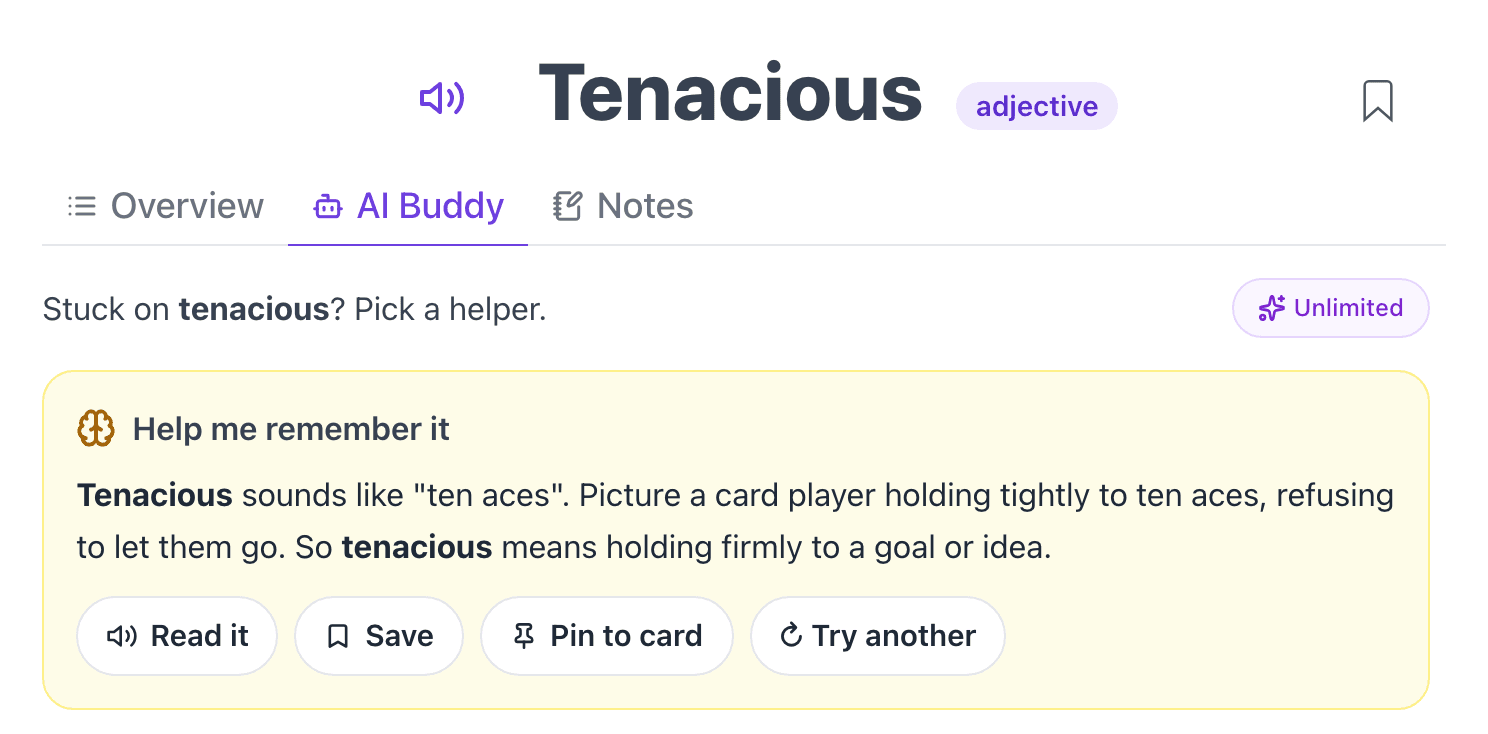
Tenacious sounds like “ten aces”. Picture a child holding a deck of cards with ten aces, refusing to let go because they love winning card games. So tenacious means holding firmly to a goal or idea.
Safety first
Built to be safe for children
We know parents want to be sure about AI. These are the rules every AI Buddy answer follows.
No chat box. Children choose from four helper buttons for the word on screen, so the AI never talks about anything else.
- Only the word and its meaning are sent to the AI, never your child’s name or details
- Every answer is written for 8 to 11 year olds and kept short
- Nothing vulgar, sexual or romantic; no drugs, alcohol or smoking; no swearing or insults
- Memory tricks also avoid weapons, blood, injuries and death
- A second automatic check scans each answer for unsuitable words and tries again if needed
- Daily limits on new answers for each word
Keep what works
Save the help that clicks
When an answer helps, your child can keep it with the word.
- Read it aloud with one tap
- Save useful answers with the word
- Pin the best memory trick to the flashcard, so it appears every time the word comes up
- Not quite right? Try another
- After a wrong answer in a practice round, AI Buddy offers to make a memory trick straight away
5 AI Buddy credits a week free, unlimited with Premium
Questions
AI Buddy questions from parents
Is AI Buddy safe for my child?
AI Buddy was designed for children from the start. There is no chat box, so your child can only choose one of four helpers for the word on screen. Every answer follows strict rules for under-12s, and a second automatic check scans each answer for unsuitable words before it is shown.
Can my child chat with the AI?
No. Your child taps a helper button such as “Help me remember it”. They cannot type questions, so the AI only ever talks about the word they are learning.
What information does the AI receive?
Only the word and its meaning. Your child’s name, age and account details are never sent.
Which AI does AI Buddy use?
AI Buddy uses OpenAI models, with our own instructions and safety checks on every request.
How much AI Buddy help is included?
The free plan includes 5 AI Buddy credits a week. Premium includes unlimited AI Buddy help. On every plan, each helper can make up to 5 new answers per word per day.
Explore
Other features
- Interactive flashcardsMeaning, examples, synonyms and opposites for every wordLearn more
- Six-way practiceEach word tested six different waysLearn more
- Spaced repetitionTricky words come back until they stickLearn more
- Theme WordsWords grouped by meaning, so they stick togetherLearn more
- Root words and prefixesWork out new words from their partsLearn more
Start with a free vocabulary check
25 questions, about 5 minutes. See how many 11+ words your child already knows and where to start.